Concept and Architecture - IoT
The IoT SDK provides tools and APIs for enabling real-time communication directly through IoT devices. It allows a user to join rooms, share and receive audio and video streams, exchange application messages, and interact with other participants, including AI agents, using lightweight devices such as ESP boards.
Concepts
1. Room
The Room object in the VideoSDK provides a virtual place for participants to interact and engage in a real-time audio and video session. The object is in charge of handling media streams and participant communication.
- To create a room refer
Room Initialization
2. Participant
-
A participant represents a user in the room and can share or receive audio and video streams via the IoT SDK.
-
2.1
Local Participant:- The local participant represents the user on the ESP device using the IoT SDK.
- The user on the ESP device controls their own audio and video streams and can also receive media from others in real time.
-
2.2
Remote Participant:- A remote participant is any other participant in the room apart from the user.
- The user can subscribe to the audio and video streams of the remote participant.
-
Each participant is uniquely identified by a ParticipantId in the room.
3. Session
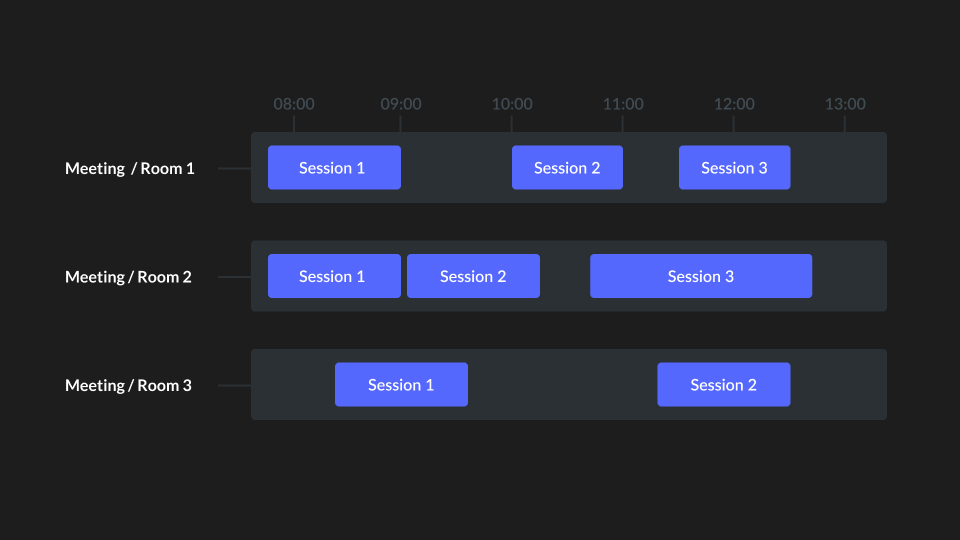
- A Session is the instance of an ongoing room which has one or more participants in it. A single room can have multiple sessions.
- Each session can be uniquely identified by
sessionId.
4. AudioStream
- An audio stream is a continuous flow of sound data transmitted in real time, allowing participants to hear and communicate instantly in a room.
- Publish Audio
- The user captures audio through the ESP device and shares it in real time.
- To publish audio refer this
Publish Audio
- Subscribe Audio
- The user receives audio and plays it through the ESP device.
- To Subscribe audio refer this
Subscribe Audio
5. VideoStream
- A video stream is a continuous flow of camera frames transmitted in real time, allowing participants to see one another in a room.
- Publish Video
- The user captures video through the ESP device camera and shares it in real time.
- To publish video refer this
Publish Video
- Subscribe Video
- The user receives a remote participant's video and renders it on the ESP device display.
- To subscribe to video refer this
Subscribe Video
6. Data Channel
- The data channel lets participants exchange messages alongside their audio and video, such as control commands, sensor readings, or status updates.
- Send Message
- The user sends a text or binary message to the other participants. See
Send Message.
- The user sends a text or binary message to the other participants. See
- Receive Message
- The user receives messages from other participants through a registered handler. See
Receive Message.
- The user receives messages from other participants through a registered handler. See
Architecture
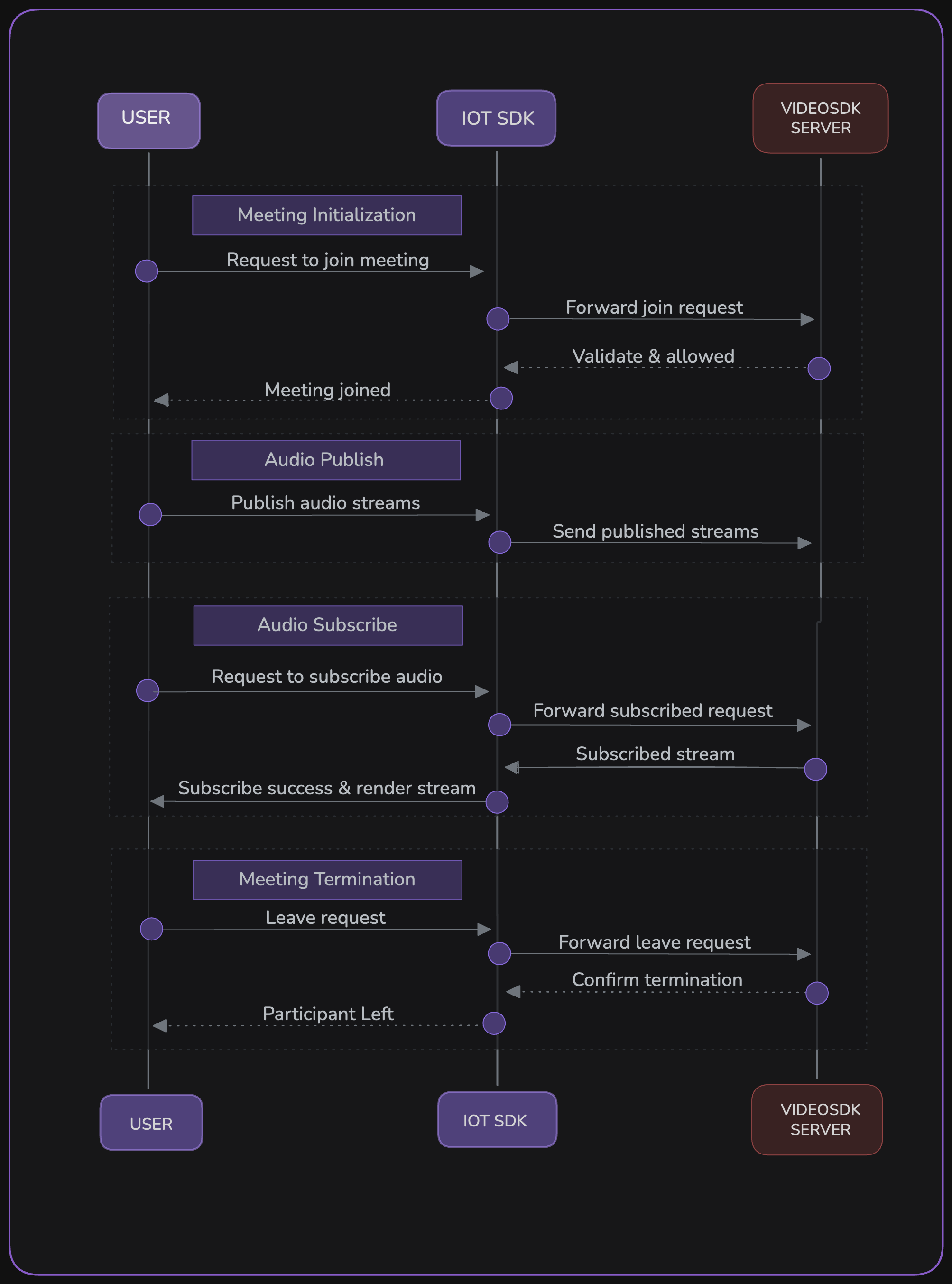
This diagram illustrates the complete interaction of a user joining a room through the IoT SDK on an ESP device. It covers sending a join request to the server, publishing and subscribing to audio and video streams, exchanging application messages, and leaving the room, showing how the SDK and server coordinate to enable seamless real-time communication.
Got a Question?  Ask us on discord

